English

Checkout | Buscapé

Checkout | Buscapé
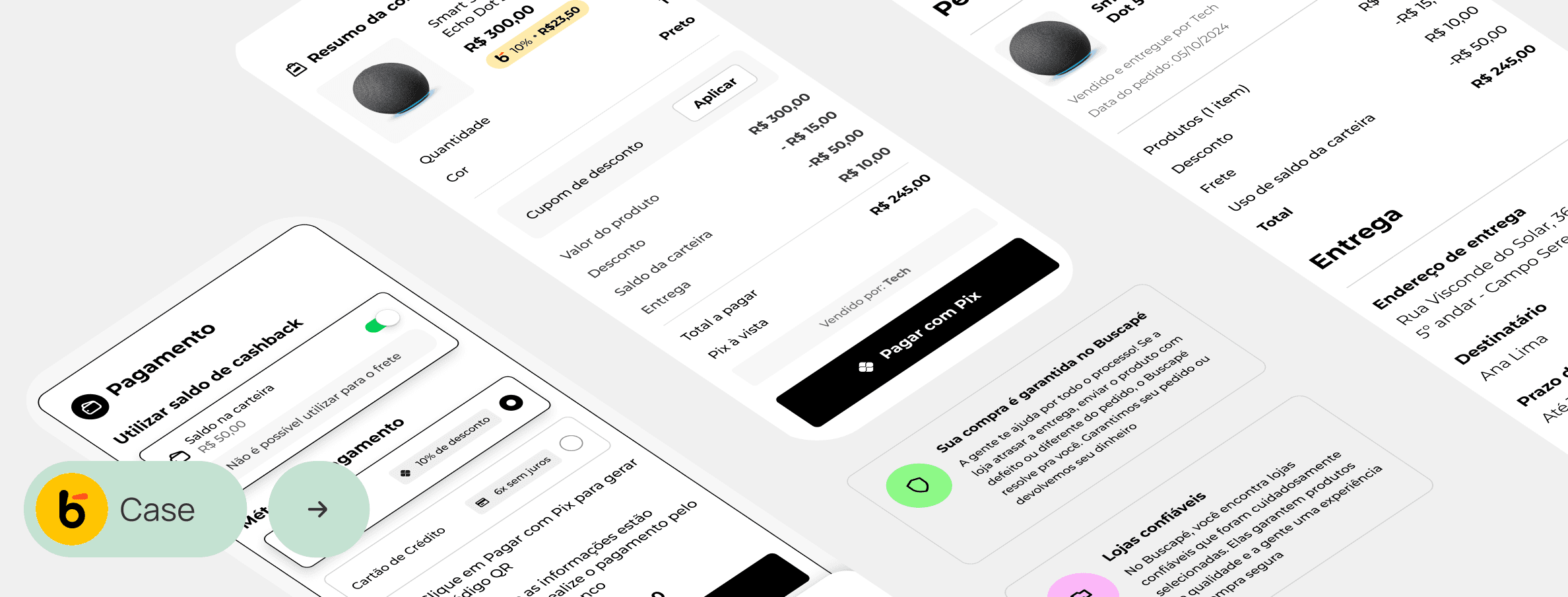
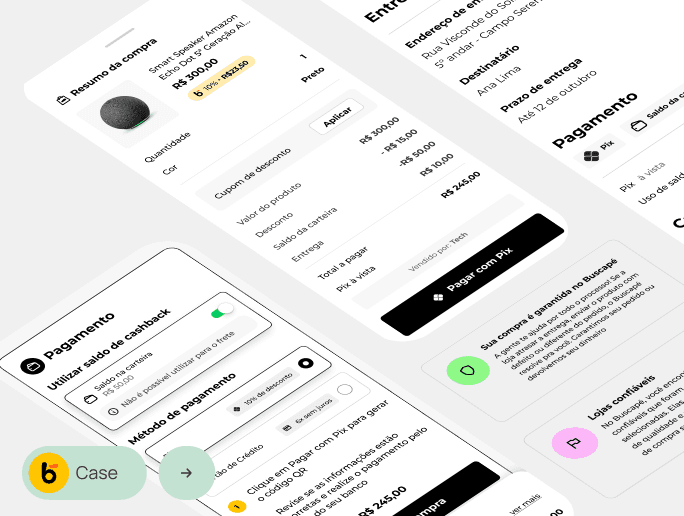
Image of some screens from the new checkout project, where we can see the new payment section, the summary modal of the purchase (with all the listed values), and explanatory capsules about the reliability of the Buscapé marketplace.

Project

Project

Project

Buscapé, more than just a price comparison tool

Buscapé, more than just a price comparison tool

Buscapé is a reference price comparison platform that has connected consumers to various stores for 25 years.

Despite its tradition, its internal marketplace environment suffered from high checkout abandonment rates, showed some inconsistencies in branding, and had a low level of awareness among users, causing distrust regarding the reliability of less known stores.

Buscapé is a leading price comparison platform that has been connecting consumers to various stores for 25 years.

Despite its tradition, its internal marketplace environment suffered from high abandonment rates at checkout, showed some brand inconsistencies, and had a low level of awareness among users, causing distrust regarding the reliability of lesser-known stores.

Objective

Objective

Objective

Optimize the checkout by simplifying steps with a fluid experience aligned with the brand; better contextualize reliability and selection of the stores, increase order concentration/share and profitability of the marketplace.

Optimize the checkout by simplifying steps with a fluid experience aligned with the brand; better contextualize reliability and selection of the stores, increase order concentration/share and profitability of the marketplace.

My role

My role

My role

During the project, I worked alongside two designers: one in the discovery phase and the other in the UI design, ensuring a cohesive approach in both stages.

During the project, I worked alongside two designers: one in the discovery phase and the other in the UI design, ensuring a cohesive approach in both stages.

+

Benchmarking

Benchmarking

+

Quantitative research

Quantitative research

+

Blueprint with stakeholders

Blueprint with stakeholders

+

Usability test

Usability test

+

Interface design and prototyping

Interface design and prototyping

+

Documentation

Documentation

Photo of Laryssa Bolele. She smiles, looking to the side and is wearing a lilac blouse.

Laryssa Bolele

Laryssa Bolele

Product Designer Pl.

Photo of Thiago Almeida, he holds a camera lens, positioning it in front of his right eye.

Thiago Almeida

Thiago Almeida

Senior Product Designer

Data

Data

Data

Initially, we observed a checkout with many steps, some repetitions, and a high abandonment rate throughout the shopping experience, as shown in the graph below*

*Due to project confidentiality, sensitive data will not be disclosed

Initially, we observed a checkout with many steps, some repetitions, and a large abandonment throughout the shopping experience, represented in the graph below*

*For project confidentiality, sensitive data will not be disclosed

Chart illustrating the checkout abandonment funnel. A large circle at the beginning represents the total number of visitors starting the purchase process, while the subsequent smaller circles represent the decreasing number of users who complete each step, until reaching the final conversion.

Benchmarking • Comparative table

Benchmarking • Comparative table
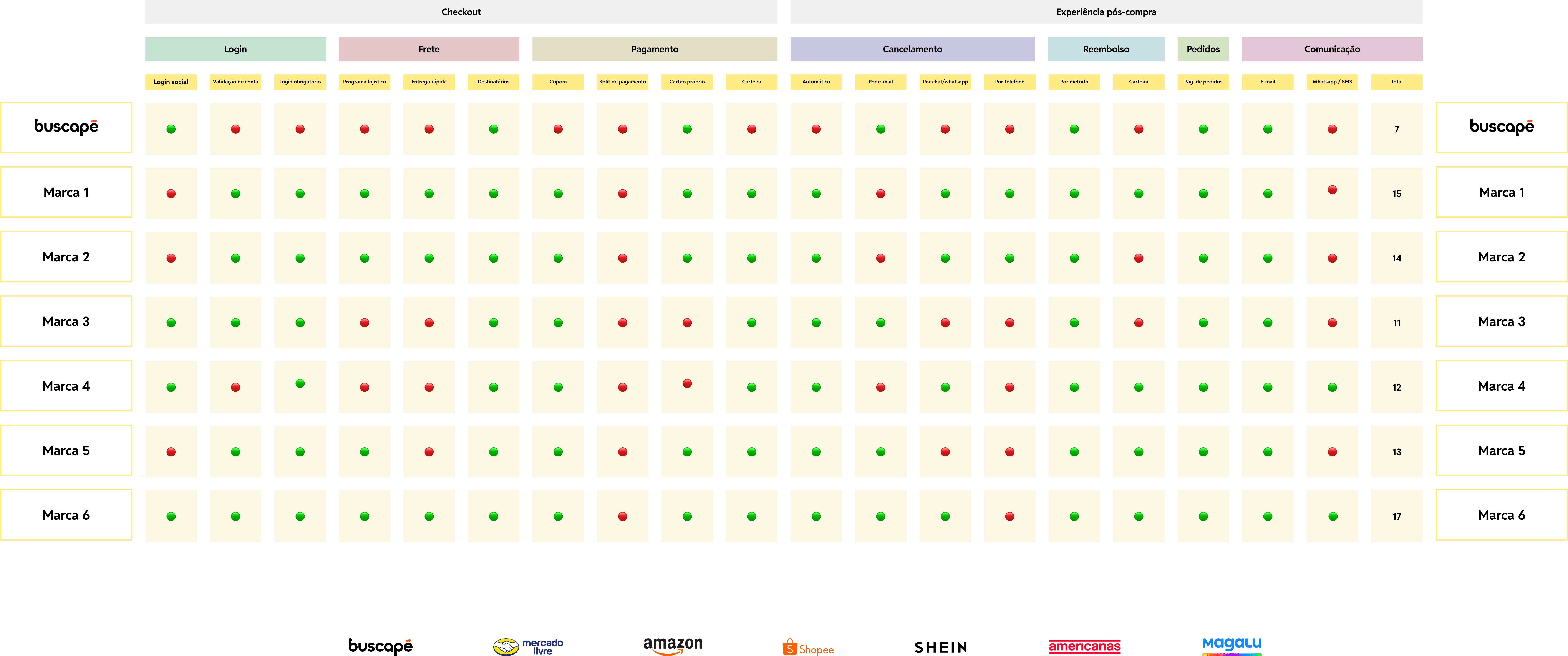
Comparative benchmarking table between Buscapé and its main competitors. The results suggest that Buscapé needs to improve its performance in several areas to achieve parity with market leaders.
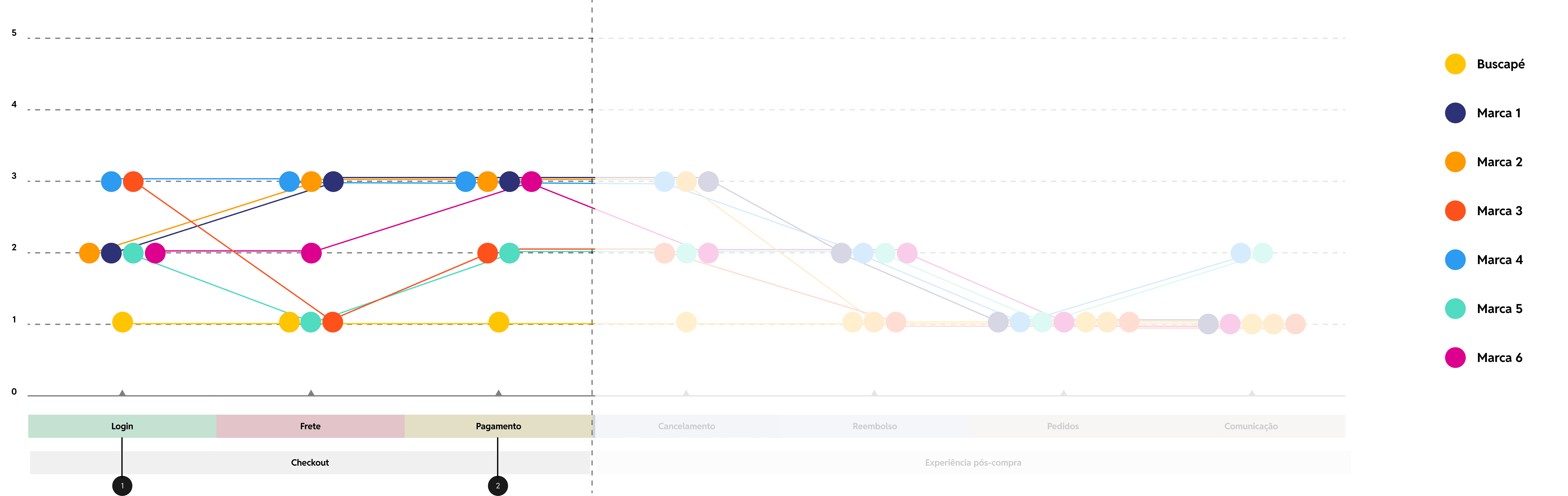
The image features a colored line graph, where each line represents a brand. The image highlights the steps in the checkout where Buscapé can improve to increase its sales.

Featured opportunity

Featured opportunity

1

Mandatory login • Account creation

Mandatory login • Account creation

2

Coupon application • Diversification of payment methods

Coupon application • Diversification of payment methods

Benchmarking

Benchmarking

Usability test

Usability test

Usability test

Buscapé Marketplace

Marketplace

Buscapé Marketplace

Users were unaware of the Buscapé marketplace, but emphasized that the tool is facilitative, as it eliminates the need to create multiple accounts on different sites.

Users were unaware of the Buscapé marketplace, but emphasized that the tool is facilitative, as it eliminates the need to create multiple accounts on different sites.

Reliability

Reliability

Reliability

Users expressed skepticism when buying from lesser-known stores without reviews, wanting purchase guarantees like those offered by competitors.

Users expressed skepticism when buying from lesser-known stores without reviews, wanting purchase guarantees like those offered by competitors.

New checkout

New checkout

New checkout
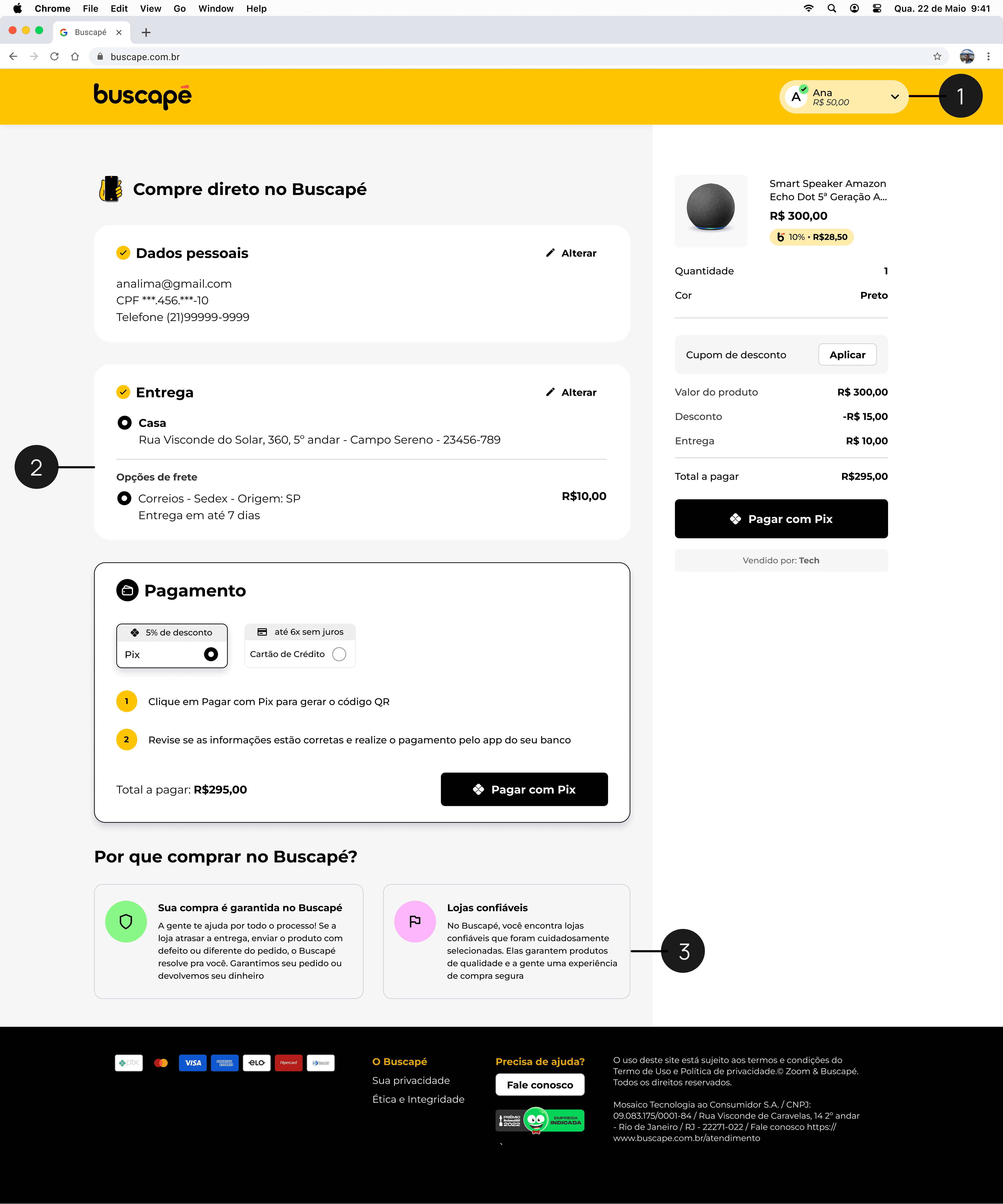
Buscapé's checkout page, showing the steps to complete a purchase: personal information, delivery address, payment method, and order summary. These sections are on a single page, allowing the user to see everything at once, without clicking through multiple separate screens. At the end, there are explanatory texts about the purchase guarantee and the reliability of the stores.

1

Login: login required, removal of purchase as a guest

Login: login required, removal of purchase as a guest

2

Single page: the entire checkout is viewed on a single page, with reduced steps.

Single page: the entire checkout is viewed on a single page, with reduced steps.

3

Trust: explanatory texts about guarantees and store selection

Trust: explanatory texts about guarantees and store selection
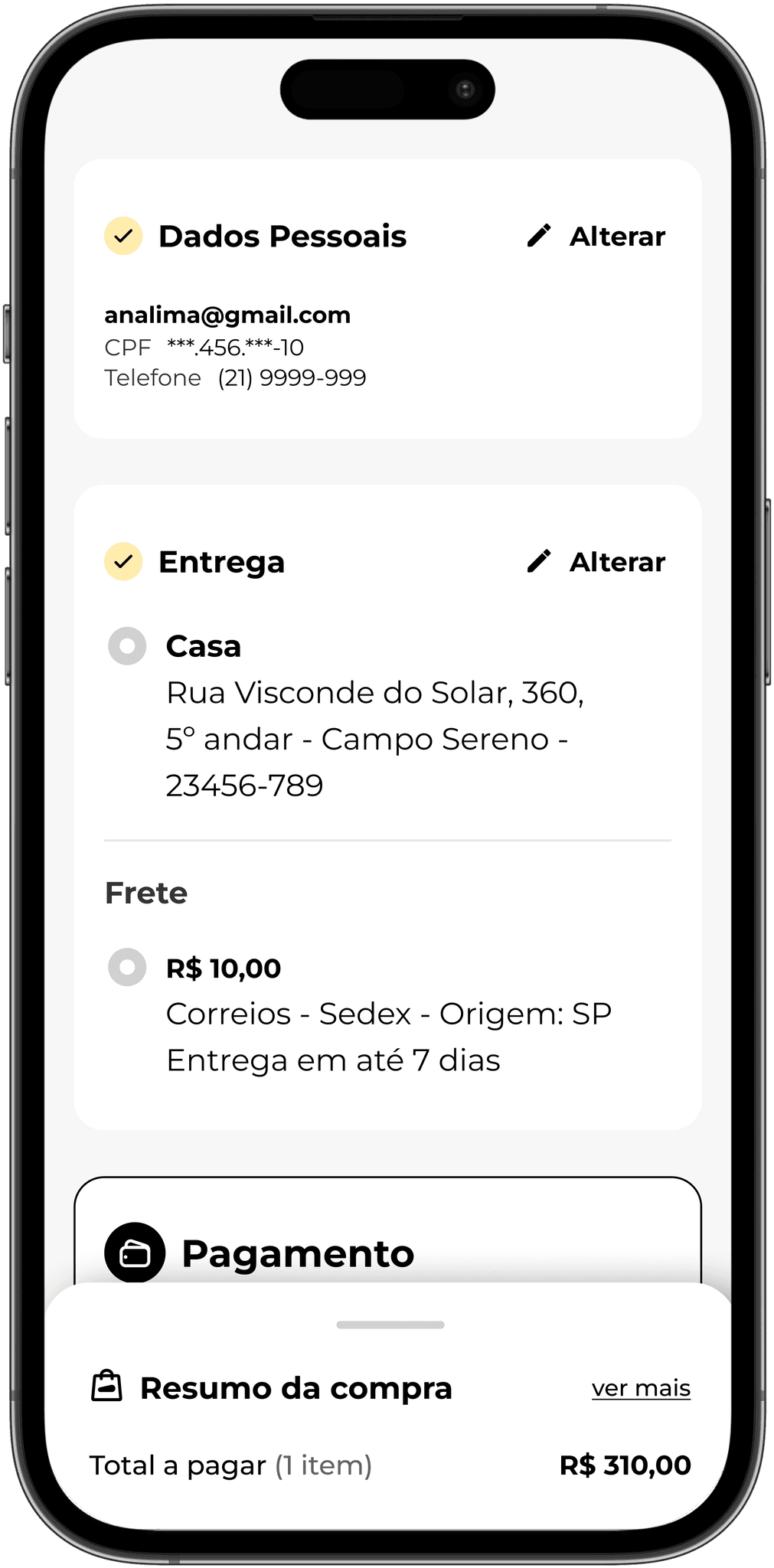
Checkout screen of a shopping app, showing only three stacked blocks: the first with personal data, containing user information such as email, CPF, and phone; the second block for shipping, with the address filled out and the selected shipping option, and finally, the payment method, partially visible as it requires scrolling down the screen to see it completely. At the bottom of the screen, it is still possible to see the purchase summary modal. It is fixed at the bottom of the screen and presents the total amount to be paid for the purchase.

Saved data:

If the user already has an account and address registration, they proceed directly to shipping
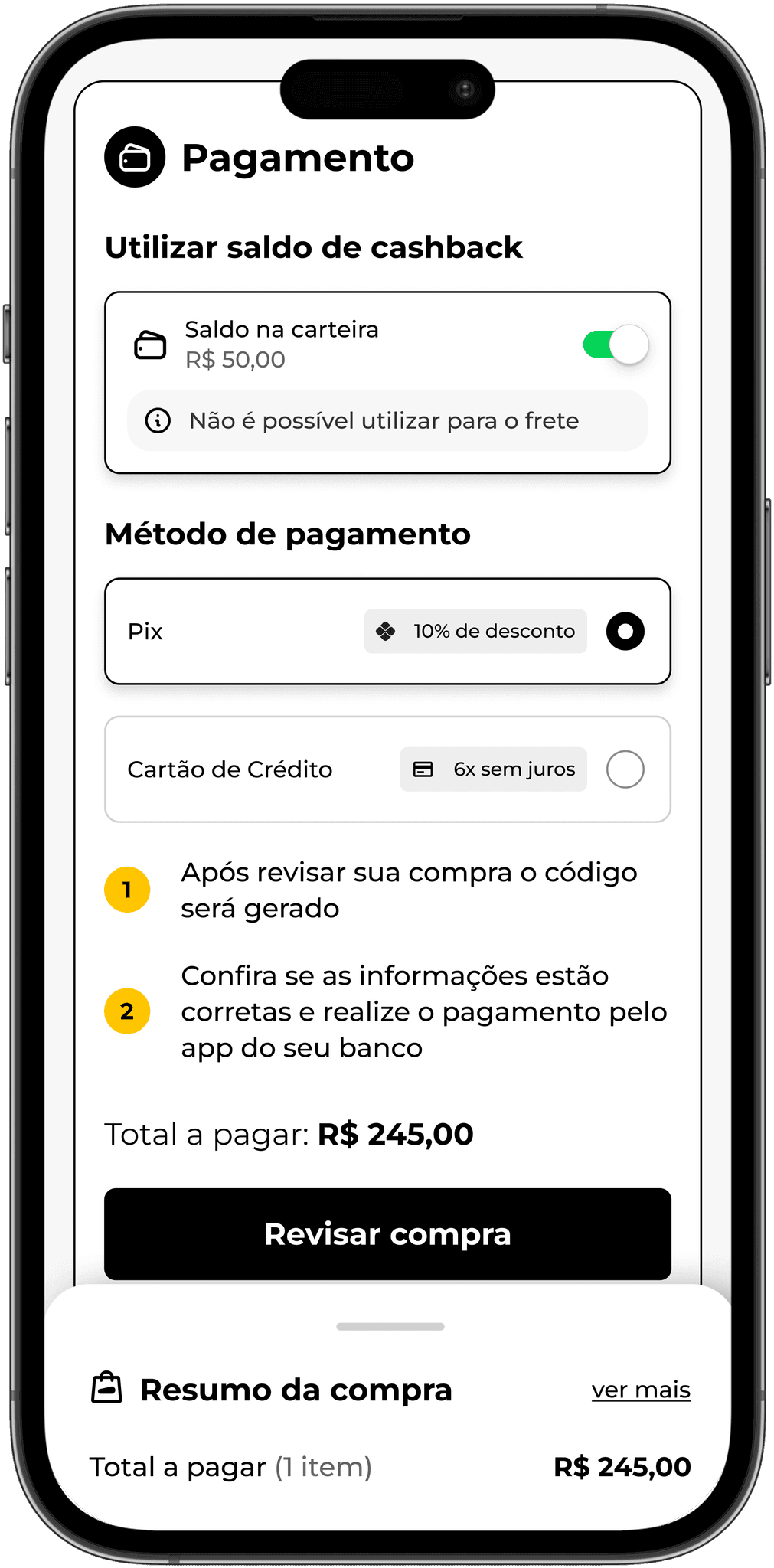
Checkout screen focusing on the payment section. There is an option to use the available cashback balance in the user's wallet, and the user can enable or disable this option. Then, two payment options are presented: Pix with a discount and credit card with installment payment, where the user can complete the purchase if the balance is not sufficient to cover the total amount. The Pix option is selected, and therefore the payment instructions are visible. At the bottom of the screen, there is a fixed purchase summary modal that shows the total amount to be paid.

Purchase summary:

Throughout the journey, the user can access the purchase details in the summary modal
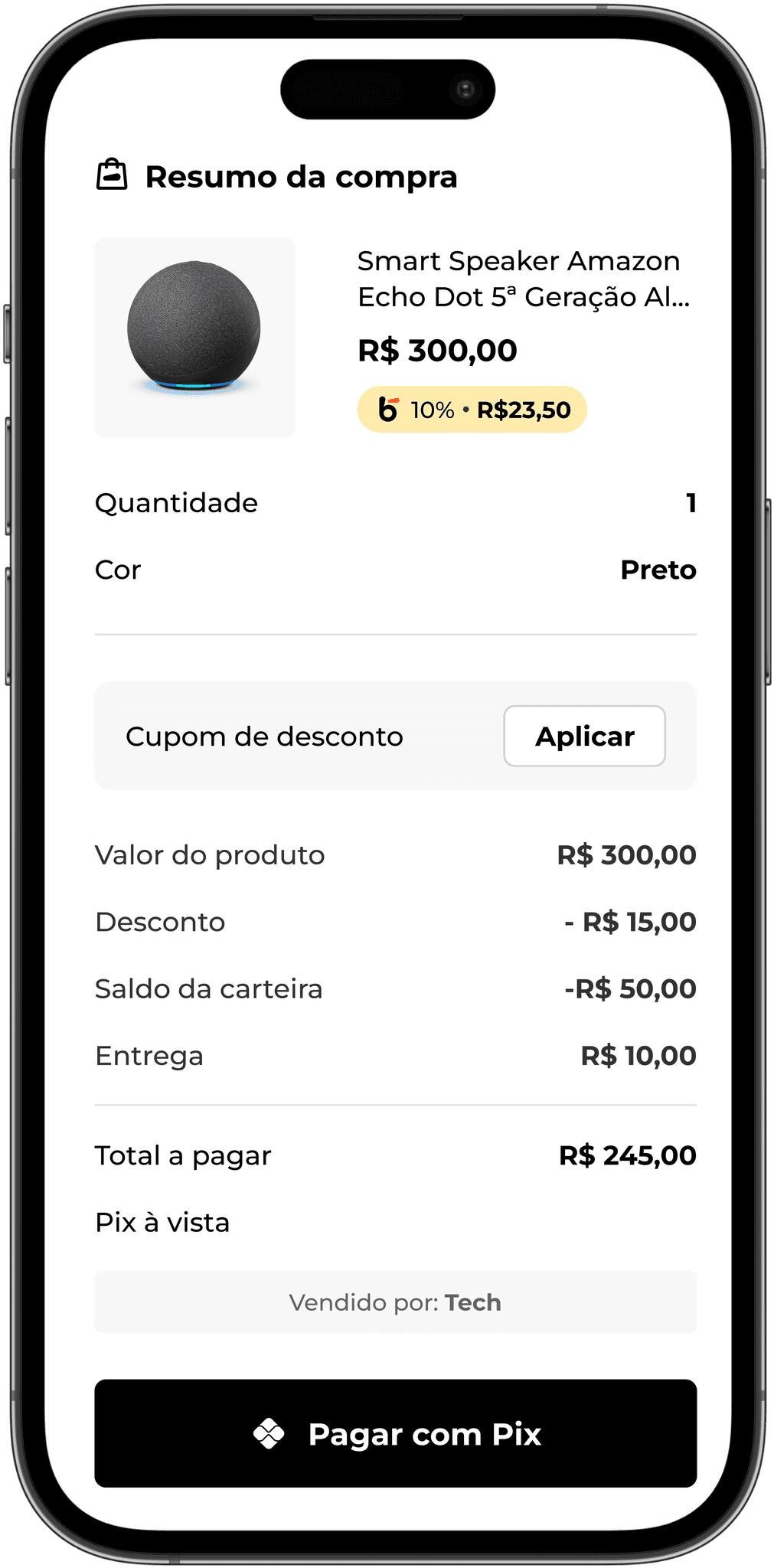
The third screen, which is also the last one, is the purchase summary. On mobile devices, the modal, which is always fixed and closed at the bottom of the page, opens with all the order details for the user to review and complete the payment. Information is presented such as: product, SKU information, purchase amount, applied discounts, use of cashback balance if enabled, amount of cashback earned with the purchase if applicable, and an option for coupon registration.

Purchase review:

Before finalization, the modal is opened for the user to check the values and confirm
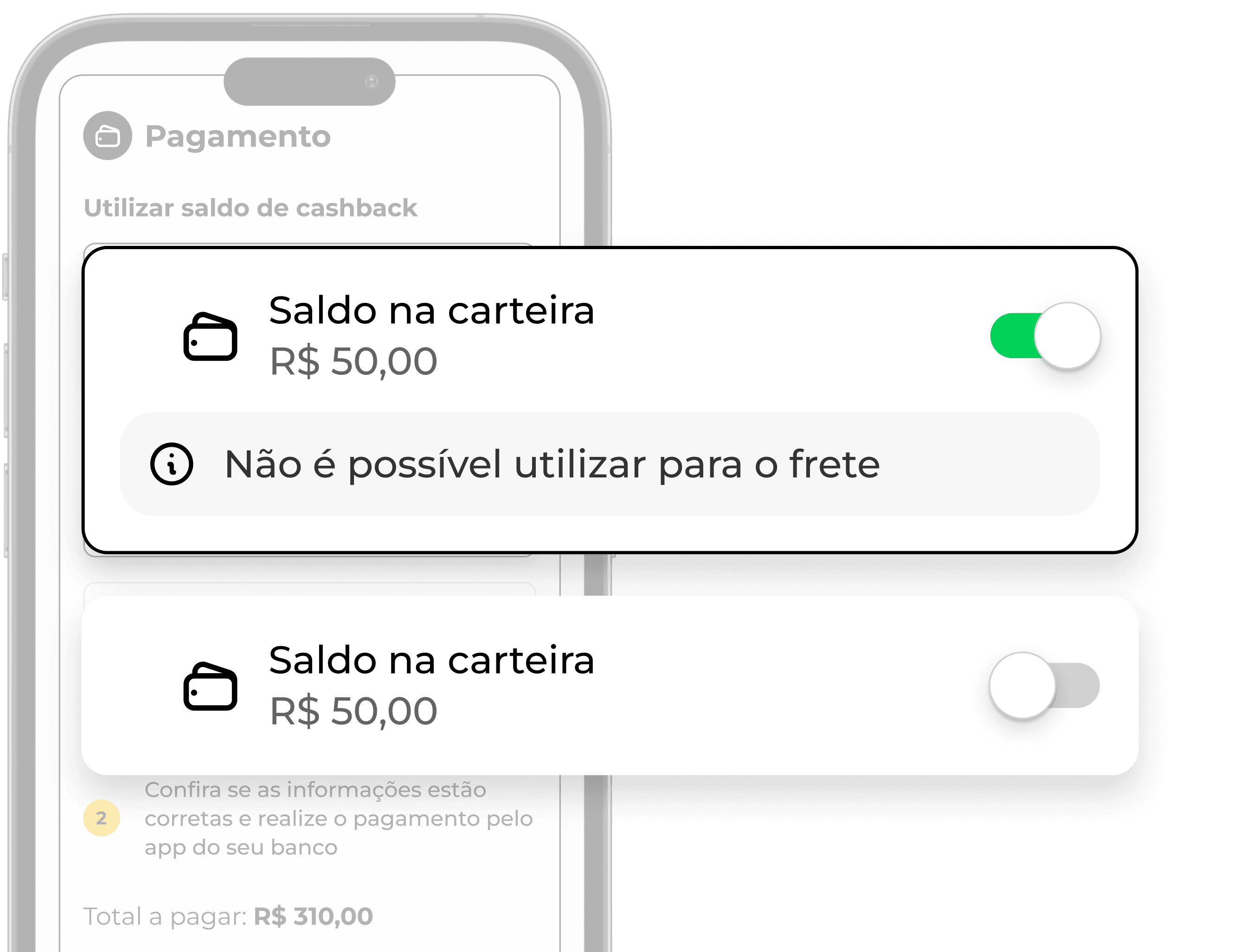
Cashback balance usage

Cashback balance usage

Including the use of cashback balance for purchases in the Buscapé app
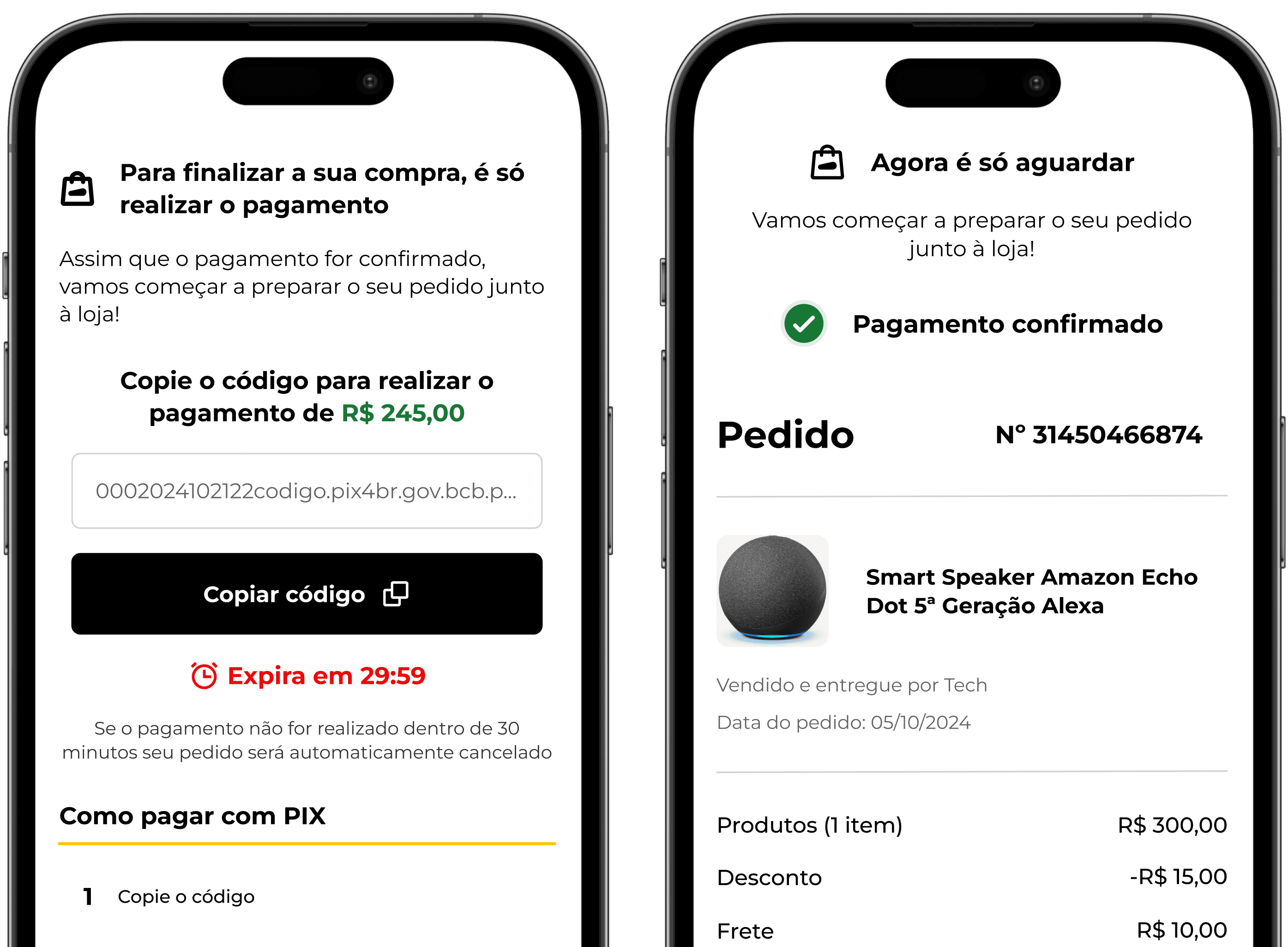
Pix Feedback

Pix Feedback

Payment via Pix now has a feedback screen when the transaction is confirmed; previously, communication was done exclusively through email.

Focus on the cashback balance toggle. There are two versions: the disabled toggle, which redeems only the available amount for use. And the enabled toggle, which in addition to the available amount for use, also indicates that the cashback balance cannot be used to pay for the shipping of the purchase.

Cashback balance usage

Cashback balance usage

Inclusion of using cashback balance for purchases in the Buscapé app

Two screens of a shopping application: the first screen requests confirmation of payment via PIX, displaying a code to copy and its instructions. The second screen confirms the order and presents a summary of the purchase, including the order number, products, and total amount.

Pix Feedback

Pix Feedback

Payment via Pix now has a feedback screen when the transaction is confirmed; previously, communication was done exclusively via email.

Shall we create something amazing together?

Feel free to message me, have a chat, and exchange ideas!

Shall we create something amazing together?

Feel free to message me, have a chat, and exchange ideas!

Shall we create something amazing together?

Feel free to message me, have a chat, and exchange ideas!